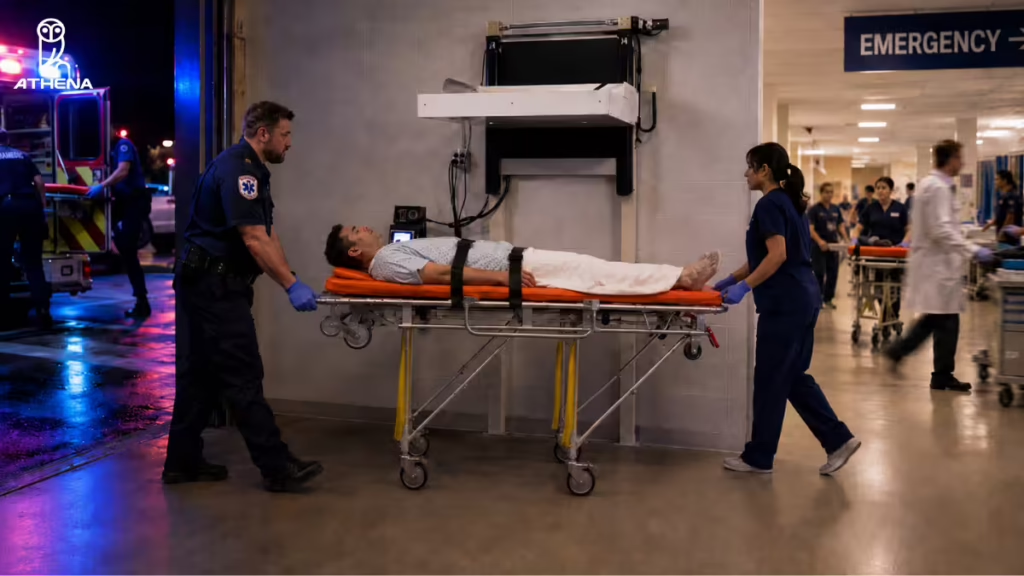

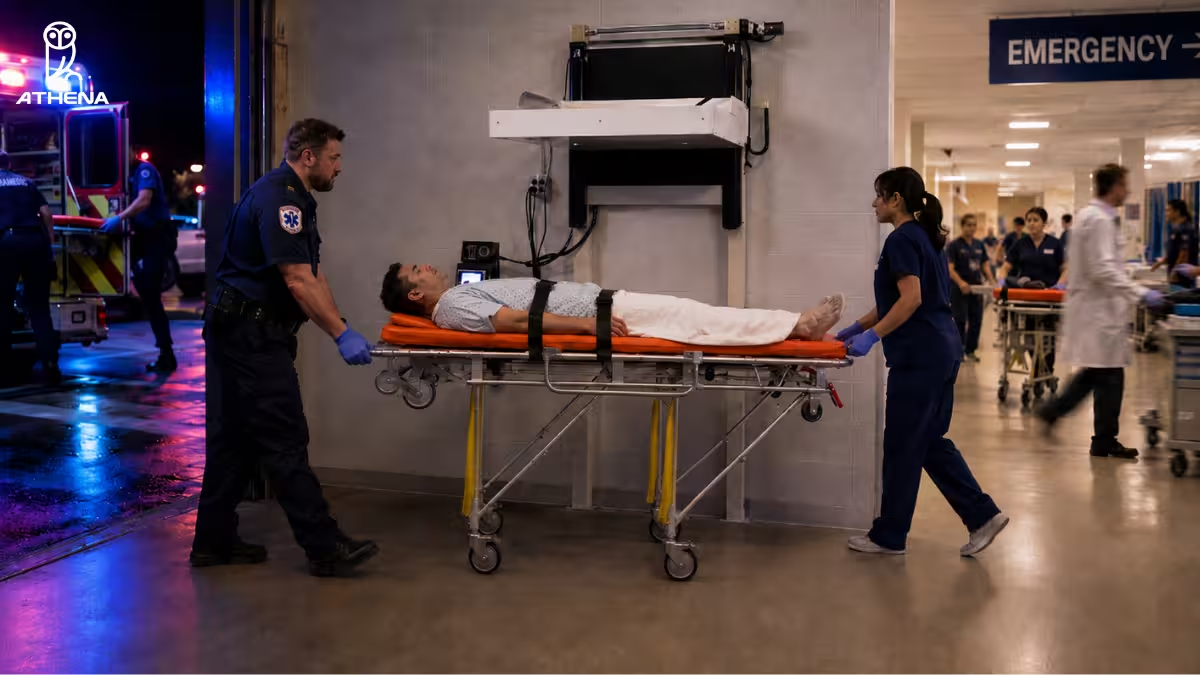
| Summary: To screen ambulance bays without triggering false alarms from gurneys, use a stretcher-compatible weapons detection system that filters out the gurney and scans the patient for concealed threats. This article also covers why gurneys trigger alarms, why lobby screening fails, how ambulance bay screening works, what hospitals should check before deployment, and when to request a demo. |
In 2022, a woman strapped to a gurney pulled out a hidden gun and fired twice inside the HCA Healthcare Conroe emergency room in Texas. An EMS worker disarmed her, and no one was injured.
Below is the report from ABC:
Incidents like this show why ambulance bays are becoming the most critical gap in hospital security. Hospitals need to protect emergency department staff, patients, visitors, and EMS teams without disrupting care delivery.
But screening ambulance bay arrivals is not simple. Patients may arrive on gurneys, surrounded by metal equipment, unable to stand, walk, or follow screening instructions. Traditional metal detectors and handheld wands can trigger false alarms from the gurney itself, making it harder for security teams to know whether the alert is from medical equipment or a concealed weapon.
So, if you are wondering how to screen ambulance bays without triggering false alarms from gurneys, you are at the right place.
We’ll explain why gurneys create false alarms, why standard lobby screening does not work for stretcher arrivals, what kind of system hospitals need, and how Athena’s ambulance bay weapons detection workflow helps screen patients without delaying care.
Why Do Gurneys Trigger False Alarms During Ambulance Bay Screening?
Gurneys trigger false alarms because they contain a lot of metal. That creates a major issue in ambulance bays. Traditional metal detectors and handheld wands are built to detect metal, but they are not built for situations where the patient is lying on a metal stretcher.
So when a stretcher patient arrives, the system may react to:
- The metal frame of the gurney
- Wheels and side rails
- IV poles
- Oxygen tanks
- Patient monitors
- Other medical equipment attached
- Nearby stretcher
- Everyday objects that may look like a weapon from a certain angle, such as a phone positioned in an unusual way
This makes it hard for security teams to know what caused the alert. That confusion is especially risky in an ambulance bay because the patient may need urgent care.
Security teams cannot stop every stretcher arrival for a long manual search, but they also cannot ignore possible concealed weapon alerts.
That is why hospitals need a screening system built for gurney arrivals. The goal here is to detect concealed weapons while filtering out the stretcher and nearby medical equipment.
This is where systems that use non-ionizing imaging radar and AI can help, because they ignore the gurney itself and focus on suspicious shapes on the patient.
Why Can’t Hospitals Use A Standard Lobby Weapons Detection Setup At The Ambulance Bay?
Hospitals cannot use a standard lobby weapons detection setup at the ambulance bay because ambulance arrivals do not work like lobby arrivals. Lobby screening is for people who can walk through a metal detector, stop if asked, empty their pockets or bags, and follow instructions from the security staff. Ambulance bay patients may not be able to do any of that. They may arrive lying flat on a gurney, surrounded by medical equipment, or in a condition where care cannot wait.
That creates three issues.
- The patient cannot walk through the system: Standard lobby systems are built for people standing upright, not patients arriving horizontally on a stretcher.
- The gurney can trigger alarms: Most weapons detection systems scan from left to right. In an ambulance bay, that means the system may pick up the metal on the sides of the gurney, stretcher, or ambulance equipment instead of focusing clearly on the patient.
- Manual checks can delay emergency care: Stopping an unstable patient for a long search can interfere with the emergency team’s workflow.
This is why hospitals need a screening setup built for ambulance bays, not a lobby checkpoint moved to the EMS entrance.
How Can Hospitals Screen Stretcher Patients Without False Alarms From Gurneys?
Hospitals can screen stretcher patients without false alarms from gurneys by using a concealed weapons detection system built for ambulance bay arrivals. It screens the patient while filtering out the stretcher itself.
A system designed for this workflow uses:
- Top-down scanning: Instead of scanning from left to right, the ambulance bay WDS scans from above. This helps avoid interference from the metal on the sides of the gurney, stretcher, and ambulance equipment.
- Non-ionizing imaging radar: It scans the patient without relying on standard metal detection.
- AI threat recognition: The system helps separate the gurney and medical equipment from possible threats.
- Metallic and non-metallic threat detection: It can look for more than just metal objects.
- Stretcher-compatible screening: The patient does not need to stand, walk, or actively participate.
- Operator guidance: If something is flagged, the operator sees where the possible threat may be located.
For example, Athena Security’s Ambulance Bay Weapons Detection System is built for stretcher arrivals at the EMS entry. The patient stays on the gurney while EMS personnel move the stretcher through the scanning area at normal walking speed.
The system scans from above and uses radar-based technology that reflects off the patient’s skin instead of scanning through the body. Because the signal bounces back from the patient’s surface, the system is not affected by the metal underneath or behind the patient. That allows it to focus on potential threats on or around the patient while ignoring the stretcher itself.
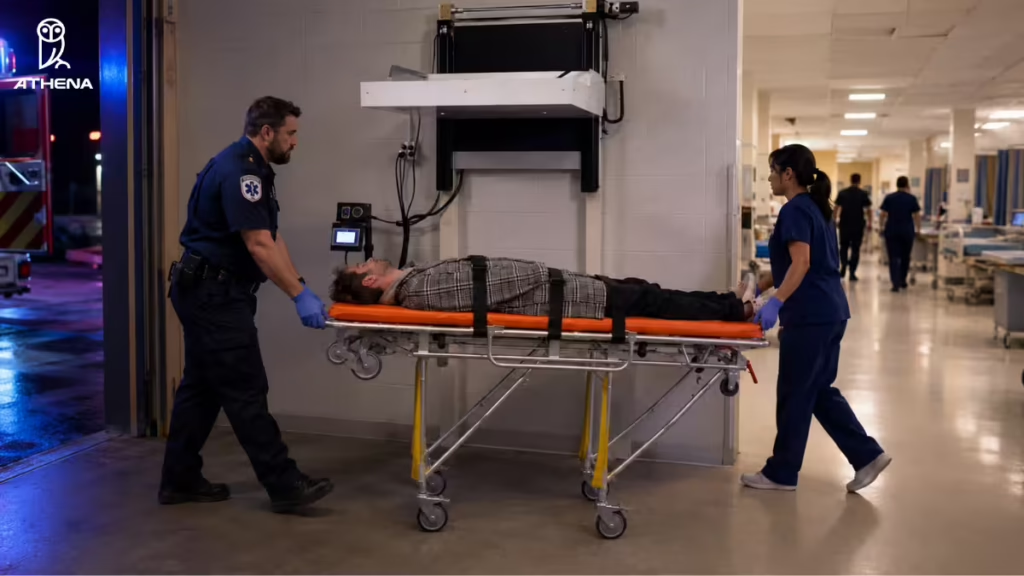
If the system detects a possible threat, the operator can view the alert on a tablet console with a heat-map or skeletal overlay that shows the approximate location of the object. This helps the security team focus on the patient area that needs attention instead of reacting to the entire gurney as one large metal object.
How Does Ambulance Bay Screening Work Without Delaying Care?
Ambulance bay screening works without delaying care when the screening happens during the EMS handoff process.
The patient does not need to stand, reposition, or actively participate. EMS personnel can move the stretcher horizontally through the scanning area while bringing the patient from the ambulance bay into the hospital. This keeps the process aligned with how ambulance bay arrivals already happen.
Here is how the workflow works:
- The patient stays on the stretcher: The system is built for patients who cannot stand or walk.
- EMS moves the patient through the normal entry path: The patient can be screened while being wheeled directly from the ambulance into the hospital, without going to a separate screening area.
- The system scans from the top down: The weapons detection system reads the patient from above while the stretcher passes underneath.
- The operator manages screening from one iPad console: Security staff do not need to run multiple disconnected screens.
- AI reviews the scan in real time: The system analyzes the patient while filtering out the stretcher.
- The alert shows where to look: If something is flagged, the operator sees a heat-map or skeletal overlay showing the suspected weapon location.
Watch the video below to see this in action:
How Do I Check If My Hospital Needs Ambulance Bay Weapons Detection? (Self-Check Guide)
If your hospital has an ambulance bay, you should treat ambulance bay weapons detection as a serious security requirement. This becomes even more important if your hospital serves an area with gun violence, gang-related incidents, assaults, or other weapons-related threats. In those situations, emergency arrivals can bring risk directly into the ED if the ambulance bay is not screened.
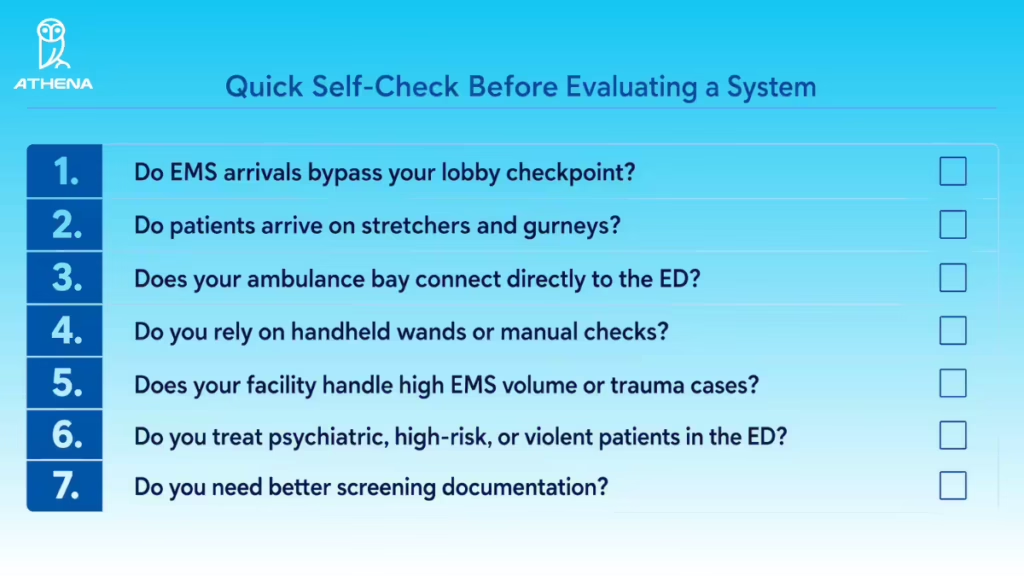
Use this quick self-check before evaluating a system:
- Do EMS arrivals bypass your lobby checkpoint? If stretcher patients enter through the ambulance bay without passing through the front-door weapons detection, that entry point is not covered.
- Do patients arrive on stretchers and gurneys? Standard walk-through systems are not built for patients who cannot stand, walk, or follow screening instructions.
- Does your ambulance bay connect directly to the ED? If the ambulance bay opens into the ER, a weapon can move from the EMS entry to a clinical area without being screened.
- Do you rely on handheld wands or manual checks? Manual screening can vary by security officer, shift, patient condition, and how chaotic the arrival is.
- Does your facility handle high EMS volume or trauma cases? Higher stretcher-arrival volume creates a larger screening gap.
- Do you treat psychiatric, high-risk, or violent patients in the ED? These situations can increase the need for a consistent weapons screening process at EMS entry.
- Do you need better screening documentation? If your hospital needs records of ambulance bay screening events, confiscated items, operator actions, or chain of custody, manual notes may not be enough.
You may not need a dedicated ambulance bay system if your EMS volume is very low or if every ambulance arrival already passes through a controlled screening checkpoint. But if stretcher arrivals bypass your main weapons detection process, the ambulance bay deserves a separate screening plan.
What Should Hospitals Check Before Installing Ambulance Bay Screening?
Hospitals should not choose an ambulance bay screening system before checking how it will work during real EMS arrivals.
Before installation, review these areas:
- Detection technology: Does the system rely on standard metal detection, or is it built to screen stretcher patients without false alarms from the gurney?
- EMS workflow fit: Can the stretcher move through screening at a normal walking pace without asking the patient to stand, shift, or wait?
- Ambulance bay layout: Is there enough space for the scanner, stretcher movement, EMS staff, and security staff to work safely?
- Entry point coverage: Do ambulance arrivals bypass the lobby checkpoint and enter directly into the emergency department?
- Operator position: Where will the security operator stand or sit during screening, and can they clearly monitor the process?
- Staffing needs: Can one operator manage the screening from a tablet console, or will the process require extra staff during each shift?
- Alert response process: What should staff do if the system flags a possible weapon during an EMS handoff?
- Documentation: Does the system automatically create records for screening events, confiscated items, operator actions, and the chain of custody?
- Integration: Can ambulance bay screening connect with the hospital’s broader security systems, including visitor management, incident reporting, or centralized dashboards?
- Power and network requirements: Does the ambulance bay have the required power, network connection, and covered placement for the system?
- Training plan: Will security, ED, and EMS-facing staff know how the workflow works before the system goes live?
Look for these factors, and you shall choose the best screening system for your hospital.
For example, if your ambulance arrivals bypass the lobby checkpoint, you can set up a concealed weapons detection system at entryway with threat localization:
Why Should Hospitals Ask For A Demo Before Choosing A System?
Hospitals should not choose an ambulance bay screening system only by reading a product page or watching a clean product video. Ambulance bay screening has to work in a real emergency environment, where patients arrive on gurneys, EMS teams are moving quickly, and medical equipment may be close to the patient. A demo helps you see whether the system fits your actual workflow, not just whether the technology works in theory.
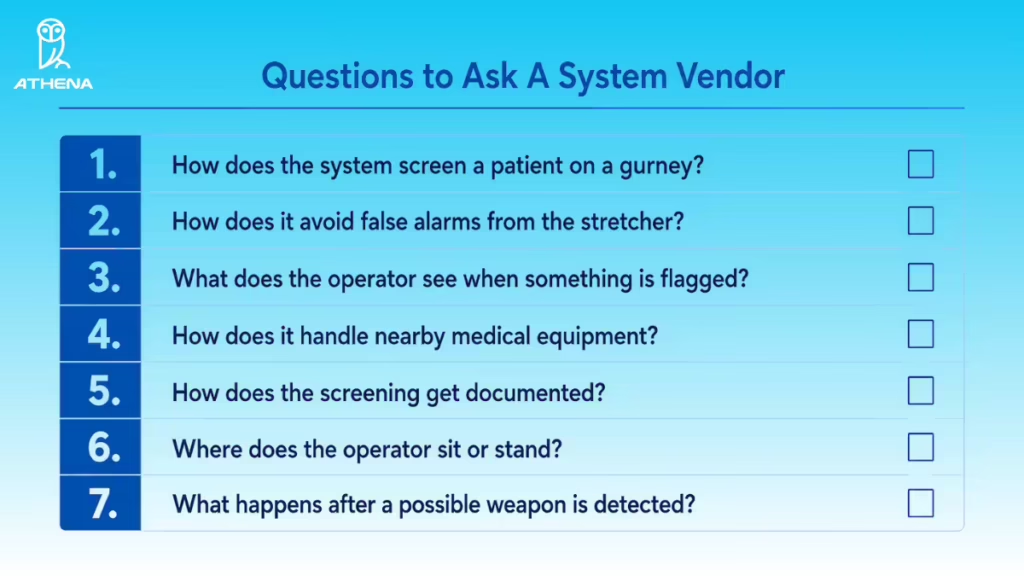
During the demo, ask the vendor to show you:
- How the system screens a patient on a gurney: The patient should not need to stand, reposition, or actively participate.
- How it avoids false alarms from the stretcher: Ask how the system separates the gurney from a possible weapon on the patient.
- What the operator sees when something is flagged: Look for a clear alert view, such as a heat-map or skeletal overlay, that shows where the possible threat is located.
- How it handles nearby medical equipment: Ask about IV poles, oxygen tanks, monitors, blankets, and other items that may be close to the patient.
- How the screening gets documented: Check whether the system records screening events, confiscated items, operator actions, and chain of custody.
- Where the operator sits or stands: Make sure the operator can manage screening without blocking EMS or clinical staff.
- What happens after a possible weapon is detected: The demo should show the response process.
Here is the same as a visual. You can save it and use it next time you are in a demo.
How Can Athena Help Hospitals Screen Ambulance Bays Without Gurney False Alarms?
Athena Security helps hospitals screen ambulance bay arrivals with a system built specifically for stretcher patients at EMS entry. Our Ambulance Bay Concealed Weapons Detection System screens the patient while ignoring the metal stretcher itself. It can detect both metallic and non-metallic threats on patients who cannot stand or walk through a normal lobby checkpoint.
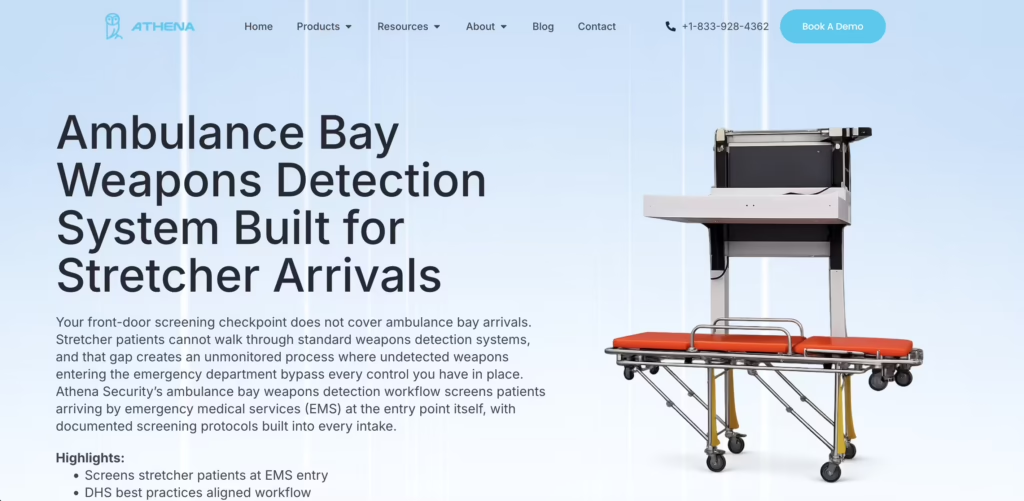
Here is what the system helps hospitals do:
- Screen patients on stretchers.
- Reduce false alarms from gurneys.
- Detect more than metal objects.
- Give operators a clear alert view.
- Run screening from one iPad console.
- Document every screening event.
- Fit into your larger security program.
As one of the top hospital security companies, we also help hospitals assess their ambulance bay layout, EMS workflow, and current screening process before deployment. That matters because ambulance bay screening is not just about installing a device. It has to fit how your EMS team, ED staff, and security team already work.
We have already worked with several hospitals, like Duke Health, Nuvance, and Yale New Haven Hospital. If your hospital wants to screen stretcher arrivals without false alarms from gurneys, book a demo with us below or call +1-833-928-4362.

Frequently Asked Questions About Screening Ambulance Bays For Concealed Weapons
While you assess how you can screen ambulance bays for concealed weapons, our experts have answered the questions that they get asked the most during deployment at hospitals.
1. Is Manual Screening Enough for Ambulance Bay Arrivals?
No. Manual screening is not enough. It can be inconsistent because it depends on officer availability, staffing levels, and judgment during urgent arrivals. It can also slow care if the patient needs immediate treatment.
2. How Accurate Are AI-Based Ambulance Bay Screening Systems In Distinguishing Real Weapons From Medical Equipment?
AI-based ambulance bay screening systems can reduce false alarms by using non-ionizing imaging radar and AI shape recognition instead of standard metal detection. Athena’s AB-WDS filters out the gurney and focus on concealed object shapes, including metallic and non-metallic threats. However, no system can guarantee 100% accuracy, so it should be used with trained staff and clear safety protocols.
3. What Should Operators Do If The System Flags A Possible Weapon During EMS Arrival?
Operators should follow the hospital’s own emergency care and security protocols. If the patient is in a life-threatening condition, clinical stabilization comes first. Staff may address the alert after the patient is stable. If the system shows a high-confidence threat, such as a possible firearm, security may respond sooner based on hospital policy.
Hospitals must define this workflow before deployment, so staff know who receives the alert, who responds, and when escalation is required.
4. What Happens If A Patient Refuses Screening During An Emergency Arrival?
Hospitals should follow their own emergency care and security protocols. If the person is a patient who needs emergency care, the hospital generally cannot deny treatment. Instead, staff should manage the situation based on existing procedures, similar to how they handle refusals or security concerns at the front entrance.
Hospitals must define this process before deployment so EMS, ED, and security teams know what to do.
5. How Do Ambulance Bay Screening Systems Perform During High-Volume Trauma Events Or Mass Casualty Incidents?
Ambulance bay screening systems can support high-volume arrivals when the workflow is planned correctly. Athena’s Ambulance Bay Weapons Detection System can screen approximately one patient every four seconds. Staffing needs may vary based on ambulance bay traffic, shift coverage, and hospital procedures.
You can configure the system for the hospital’s workflow. When not in use, it can raise up to about eight feet to keep the ambulance bay clear. During screening, it is positioned about three feet from the patient for proper operation.
6. How Can I Procure the Athena Ambulance Bay Weapons Detection System?
You can contact our team directly to discuss your specific needs and receive a customized quote. You can email us at [email protected] or call us at +1-866-592-3922.
If you’d like to see the system in action, you can request a free demo below.
Disclaimer: The images are generated using AI and are intended for illustrative purposes only. They may not accurately represent real individuals, locations, or situations. Any resemblance to real persons, living or dead, or actual events is purely coincidental.