
| Summary: To build a school weapons screening rollout plan, start with real arrival data, then design around it: separate student and bag screening, staff smartly (2 security, 5 helpers), write clear SOPs for alerts and loose items, train your team, and test everything under real conditions before—and after—launch. |
In early 2025, Kanawha County Schools stopped a weapons-detection pilot at Riverside High School indefinitely after testing the system. In 2026, Pinellas County Schools ended the on-campus portion of its pilot after long lines, false alarms, and staffing problems. These incidents happen when schools treat weapons screening rollouts like a hardware purchase instead of an arrival workflow.
Schools need more than weapon detectors at the door. They need a rollout plan that protects students without leaving them waiting outside.
This guide explains how districts can plan entrances, staffing, bag screening, parent communication, secondary screening, loose-item policies, and day-one testing before the system goes live.
Why Do School Weapons Screening Rollouts Fail?
School weapons screening rollouts usually fail when the district plans for concealed weapons detection but does not plan for arrival flow. The system may detect threats, but the rollout can still break down if students are stuck outside, bags pile up, alerts take too long to resolve, or staff does not know exactly where to stand and what to do.
Common rollout problems include:
- Underestimating peak arrival volume: A school may look manageable across the full morning, but the real pressure comes during the busiest 15 to 30 minutes.
- Screening students and bags through the wrong workflow: If every backpack, laptop, water bottle, and sports bag slows the same line, false alarms and delays can build quickly.
- Not separating security roles from logistics roles: Security officers should resolve alarms and oversee the checkpoint. Other trained staff should manage routing, bag movement, and student flow.
- Not planning for bad-weather surges: Rain or storms can cause students to arrive all at once instead of trickling in. If staff are not ready before doors open, the line can fail immediately.
- Not explaining the process to parents and students early: Families should know what will happen at the entrance, how bags should be prepared, and why the system is being introduced.
A weapons screening rollout plan should solve these issues before the first live screening day. That starts with a pre-installation checklist that captures real student volume, entrance layout, bag behavior, staffing needs, and community communication.
What Should Schools Prepare Before Installing Weapons Screening Systems? (Pre-Installation Checklist)
Schools should prepare the rollout before the hardware arrives. The goal is to understand how students actually enter the building, where bags move, who will staff each role, and what families need to know before day one.
1. What Arrival Data Should The District Collect?
Districts should collect arrival data from each school. At minimum, the district should document:
- Peak arrival volume: Calculate how many students enter during the busiest 15 to 30 minutes of morning arrival.
- Entrance count: List every door currently used by bus riders, parent drop-off students, walkers, staff, visitors, and late arrivals.
- Bag percentage: Estimate how many students arrive with backpacks, lunch bags, sports bags, instrument cases, laptop bags, or other carried items.
- Weather behavior: Review what happens on rainy, stormy, or cold mornings when students may cluster at the entrance instead of arriving gradually.
- Late-arrival patterns: Track how many students arrive after the first bell and which entrance they use.
This data helps the school district avoid designing a rollout for an average morning when the real challenge is the busiest few minutes.
2. How Should School Districts Educate Families Before Launch?
School districts should explain the screening process before the system goes live. Before launch, the district should:
- Explain why weapons screening is being added and connect the rollout to student and staff safety.
- Tell families which entrances students should use during morning arrival, activities, and late check-in.
- Show students how to prepare bags before they reach the scanner, including laptops, water bottles, sports bags, and loose items.
- Explain what happens when the system alerts so students do not panic or block the line.
- Clarify how the district will keep students moving inside instead of leaving them waiting outside.
This communication helps reduce confusion on the first live day. It also frames the rollout as a safety process.
3. Who Should Be Involved Before The Rollout Decision?
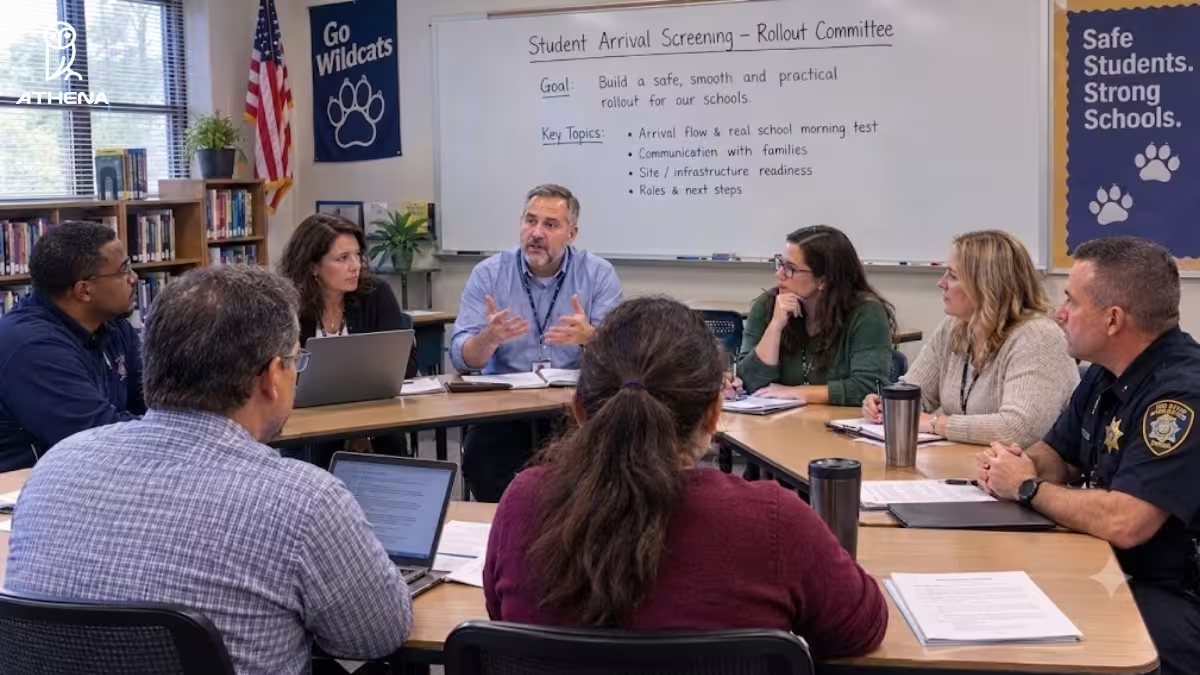
Districts should create a rollout committee before choosing final locations or workflows. The committee should include:
- District security leaders to define threat response and alert escalation.
- School administrators to explain how students actually arrive each morning.
- Operations or facilities teams to confirm entrance space, power access, weather exposure, and equipment placement.
- Teachers or staff representatives to identify who can help manage student flow.
- Parent communication leaders to prepare launch messaging before families hear about the system through rumors.
- Local law enforcement or school resource officers if they are part of the district’s response policy.
Once the district has real arrival data, clear family communication, and the right internal team, it can design the actual screening architecture.
How Should Schools Design The Screening Architecture?
Schools should design the screening architecture around two separate flows: one for students and one for bags. Districts should avoid a one-size-fits-all setup with only weapon detectors because students and bags create different screening challenges.
A walk-through weapons detection system can screen students as they enter. However, bags can carry items that may trigger alerts, slow the line, or hide smaller prohibited items inside clutter.
| Expert Recommendation From Athena Security: We highly recommend the school deploy a weapons detection system along with an AI X-ray baggage scanner.
Read this to understand why: Why Schools Need Both Weapons Detection and X-Ray Scanner |
What Is The Difference Between A WDS-Only Rollout And A Dual-System Rollout?
The difference is primarily with respect to the accuracy of weapons screening.
| Screening Setup | How It Works | Rollout Benefit |
| WDS-only rollout | Students and carried items are handled through or around one main screening process. | This setup requires less manpower and investment. |
| Dual system rollout (WDS + AI X-ray baggage scanner) | Students walk through a weapons detection system, while bags go through a separate X-ray screening process. | This setup has much better accuracy in terms of weapon detection. This setup is also highly useful for detecting vapes. |
For most high-volume school entrances, the dual-system approach is easier to manage because it separates the person-screening problem from the bag-screening problem.
| Expert Recommendation From Athena Security: While creating a weapons screening rollout plan for your school, you must also think about screening vapes and other smoking devices.
Read this to understand how: How To Detect Vapes In Schools. |
What Staffing Model Should Districts Use For Weapons Screening?
School districts should build two staffing plans: one for high-volume arrival windows and one for lower-volume screening during the rest of the day.
Morning arrival needs the most staffing because hundreds of students may enter within a short window. During the school day, the checkpoint may need fewer helpers, but it still needs clear ownership for alerts, visitor screening, bag checks, and secondary screening.
The main rule is simple: security officers should handle security decisions, and helpers should handle movement.
Which Roles Should Security Officers Handle?
Security officers should handle tasks that require security judgment.
That includes secondary screening and overall checkpoint oversight. If a school has only one security officer available, that officer should be placed at secondary screening first. This is the highest-priority post because alerts should not be cleared by helpers.
Which Roles Should Helpers Handle?
Helpers should manage the logistics that keep the screening line moving.
During high-volume arrivals, helpers may be needed for:
- Front routing: A helper separates students before they reach the checkpoint, sending students without bags toward the walk-through weapons detection system and students with bags toward the X-ray lane.
- X-ray infeed: A helper keeps backpacks, lunch bags, sports bags, and other carried items moving correctly into the X-ray scanner.
- Post-WDS routing: A helper directs cleared students toward bag pickup or school entry and sends alerted students toward secondary screening.
- X-ray exit and bag return: A helper removes screened bags from the exit side, organizes them, and helps students collect the correct bag without crowding the line.
How Should Staffing Change During The School Day?
Districts should not leave the checkpoint understaffed after morning arrival. The volume may drop, but screening still needs a defined operating model.
During lower-volume hours, schools should confirm:
- Who screens late-arriving students when the main arrival team is no longer at the entrance?
- Who screens visitors, parents, vendors, and volunteers during the school day?
- Who handles bag screening when a student enters with a backpack, sports bag, instrument case, or delivery item outside the normal arrival window?
- Who responds to alerts if the primary security officer is away from the checkpoint?
- Who documents incidents when an item is flagged, confiscated, or escalated?
The district should write this into the rollout plan before launch. Otherwise, the system may work during morning arrival but become inconsistent during the rest of the school day.
| Expert Recommendation From Athena Security: For high-volume arrival, use a 2+5 staffing model as the starting point: two security roles and five helper roles.
Read more about the model here: How to Screen a Large Number of Students Quickly for Weapons. |
What Standard Operating Procedures Should Districts Write Before Weapons Screening Goes Live?
Standard operating procedures (SOPs) should cover secondary screening, loose items, and alert escalation.
How Should Districts Set Up Secondary Screening?
Districts should create a defined secondary screening area away from the main line. This area should be close enough for staff to move an alerted student or bag quickly, but separate enough that the main entry line does not stop every time an alert happens.
The SOP should define:
- Where secondary screening happens so staff are not making location decisions during arrival.
- Who escorts the student or bag from the main line to the secondary screening area?
- Who resolves the alert and confirms whether the student or item is cleared?
- How does the main line keep moving while secondary screening is happening?
- How is the incident documented if a prohibited item is found?
Without this setup, one alert can stop the entire entrance.
How Should Districts Handle Laptops And Loose Items?
Districts should decide the loose-item policy before launch. The SOP should answer:
- Which loose items can be carried around the walk-through weapons detection system by a helper.
- Which loose items must go through X-ray screening instead of being passed around.
- Who receives and returns approved loose items so students get the correct item back.
- How trays will be used if the district decides loose items must be screened instead of passed around.
- What staff should do if a loose item looks suspicious or does not match the approved-item policy.
This is an accepted-risk decision. Passing approved loose items around the system may keep the line moving, but screening them through trays gives staff a clearer review process.
How Should Districts Escalate Alerts?
Districts should define alert escalation before the system goes live. Every staff member at the checkpoint should know who checks an alert, who opens a bag, who contacts administration, and when law enforcement or the school resource officer needs to be involved.
The escalation SOP should define:
- Who reviews the first alert from the weapons detection system or X-ray scanner.
- When a bag should be opened for secondary review.
- Who is authorized to inspect the bag and who should be present during the inspection.
- When administrators should be notified about a flagged item or student refusal.
- When law enforcement or the school resource officer should be notified based on the item found or the student’s behavior.
- How the rest of the campus is alerted if a student refuses screening, abandons a bag, or runs past the checkpoint.
The SOP should remove guesswork. Staff should not be deciding escalation steps for the first time during a crowded morning arrival.
What Signage Do School Districts Need Before Weapons Screening Goes Live
School districts must deploy two kinds of signage before weapons screening goes live: operational signage and compliance signage.
What Compliance Signage Should Districts Post
Compliance signage gives school districts the legal basis to enforce their weapons policy and protects them from liability. This includes:
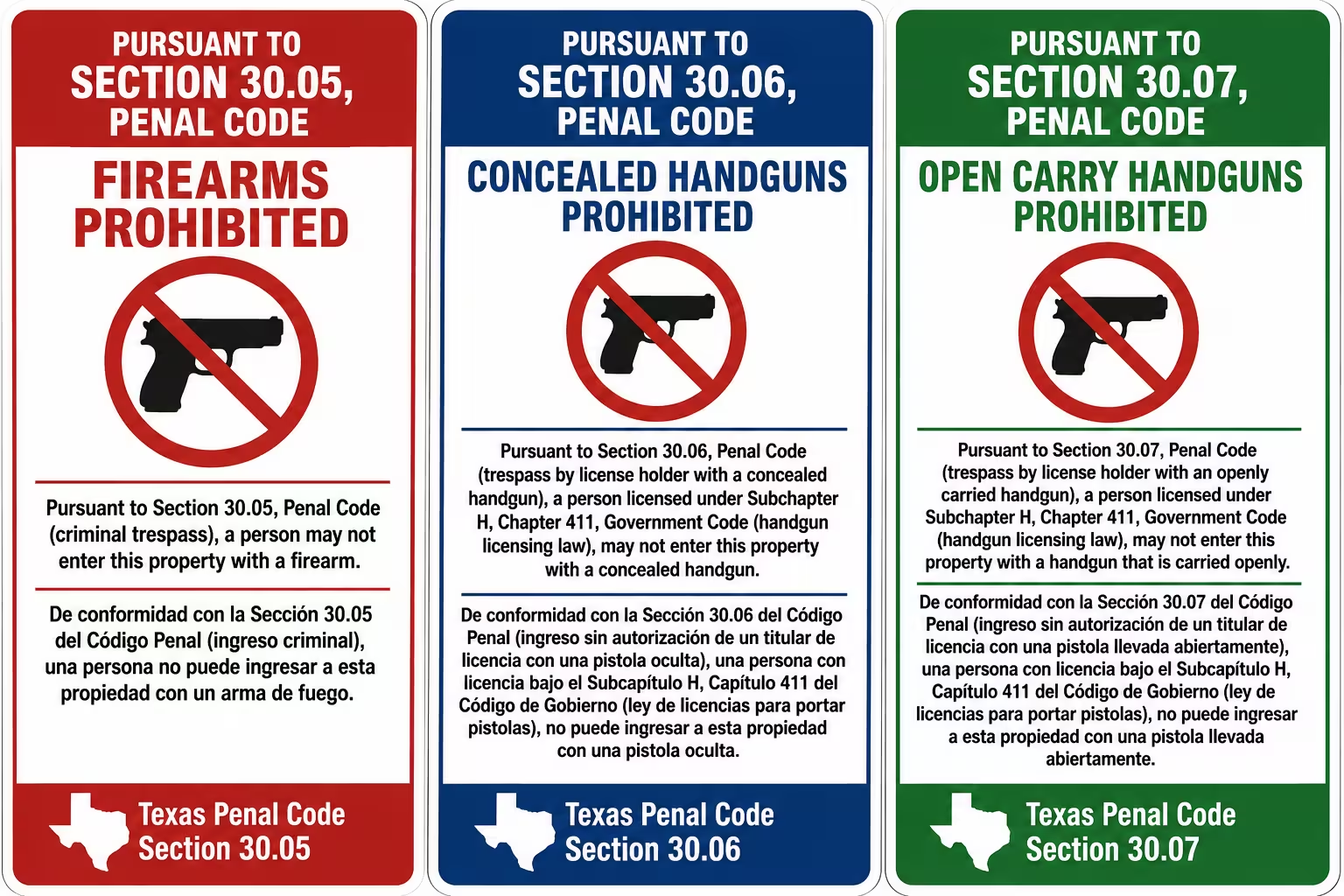
- Penal Code Postings at Every Entrance: Districts must post specific state or municipal penal codes at every entrance for prohibited items. If these signs are missing or incomplete, the school cannot legally prosecute individuals caught carrying weapons. The district may also face fines or lawsuits. For example, districts in Texas must post Texas Penal Code Sections that restrict firearms, concealed handguns, and openly carried handguns. Both in English and Spanish.
- Boundary and Trespassing Signs: They are posted along the campus perimeter to clearly define school grounds. Districts must explicitly state that entry is limited to authorized visitors on official school business.
Signage rules change from state to state, and sometimes from one municipality to the next. District counsel should review and approve every compliance sign before it’s posted.
What Operational Signage Should Districts Post
Districts should post operational signage that keeps students, visitors, and emergency responders moving correctly daily. This includes:
- Wayfinding and Entry Guidance: These signs direct visitors from the parking lot and campus boundary to the designated screening checkpoint.
- Entry Door Protocol Warnings: Every single door should have a sign stating that all visitors must sign in at the front office (or any other entry protocol you have). The sign should also warn that unauthorized entry attempts are subject to arrest.
- Divestment Signage: These signs instruct students/visitors to move everyday metal items (phones, keys, chargers) into bags or divestment trays before walking through the detector.
- First Responder Door Numbering: All exterior doors should be clearly marked with reflective, clockwise numbers starting at the main entrance. This numbering lets emergency services identify tactical entry points quickly during a crisis.
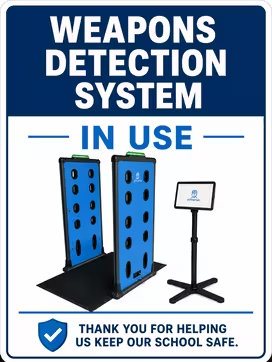
- Checkpoint Signage: Inform people that a weapons detection system is in use at this entrance. For example, the checkpoint sign below immediately tells students, staff, parents, and visitors that they will be screened. This reduces surprise and hesitation when they reach the detector.
How Should Districts Train and Test The Screening Setup Before Launch? (Pre-Launch Checklist)
Districts should train staff and test the full screening workflow before the first live morning arrival.
What Training Should Staff Complete Before Launch?
Districts should train every person assigned to the checkpoint before the system goes live.
Pre-launch training should cover:
| Training Area | What Staff Should Know |
| X-ray safety | Staff should understand how the X-ray scanner works, what safety rules apply, and how to guide students around the equipment. |
| Radiation protocols | Staff should know what they can and cannot do near the scanner, how bags should be placed, and what procedures apply during normal operation. |
| Device operation | Staff should know how to operate the walk-through weapons detection system, X-ray scanner, alert display, and any connected logging tools. |
| Checkpoint roles | Every staff member should know their exact role before students arrive, including routing, X-ray infeed, bag return, secondary screening, and alert escalation. |
| Student communication | Staff should know how to give short, clear instructions so students do not stop, argue, or block the line. |
| Emergency response | Staff should know what to do if a weapon is found, a student refuses screening, a bag is abandoned, or someone bypasses the checkpoint. |
How Should Schools Test the Setup Before Day One?
Schools should run real-condition demos before launch. The test should use:
- Real student bags with books, laptops, chargers, water bottles, lunch boxes, sports gear, and pencil cases.
- Student-like arrival volume so the district can see whether the line moves during the busiest 15 to 30 minutes.
- Loose-item scenarios such as laptops, tablets, metal bottles, and instrument cases.
- Alert scenarios where staff practice moving a student or bag to secondary screening without stopping the main line.
- Bad-weather scenarios where more students arrive at once, and the checkpoint has to absorb a sudden surge.
The district should use these tests to adjust staffing, entrance layout, signage, bag flow, and secondary screening before the first live day.
How Should Districts Keep Testing After Launch?
The rollout plan should include:
- Routine system checks before screening starts each day.
- Periodic test objects to confirm the system and staff response are working as expected.
- Digital logs of prohibited items so the district can track what is being found and where.
- Alert response reviews to confirm staff is following the SOP instead of improvising.
- Post-launch adjustments based on line speed, alert volume, staffing gaps, weather issues, and secondary screening outcomes.
Continuous testing helps the district keep the screening program consistent after the first week.
A weapons screening rollout succeeds when the district treats training and testing as part of the system, not as a one-time setup task.
How Can Athena Security Help Schools Build a Weapons Screening Rollout Plan
Athena Security helps schools build a weapons screening rollout plan through pre-deployment consultation, signage assistance, professional installation, and on-site training.
- Pre-deployment Consultation: We visit your school to assess entry points and calculate traffic patterns like student arrival volume during peak morning hours. Based on our assessment, we plan a physical screening layout following DHS guidelines.
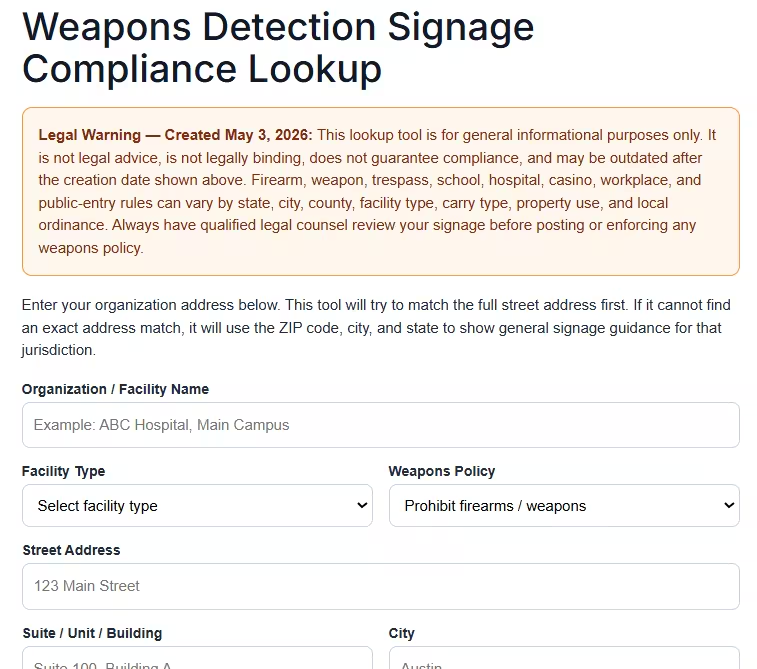
- Signage Assistance: Since signage requirements vary by state, we offer a free weapons detection signage compliance lookup tool. Enter your details like facility type, weapons policy, and address to identify signage requirements for your district.
- Professional Installation: Our team installs screening equipment during off-hours to avoid disrupting your operations.
- On-site Training: We offer role-based training for security officers, school administrators, and district leadership. Our training also covers sensitivity level adjustments, troubleshooting, and interpreting dual-energy AI X-ray material data.
We have helped schools like Lamar Consolidated Independent School District (LCISD) and Hosanna Christian Academy build a faster and smoother screening workflow.
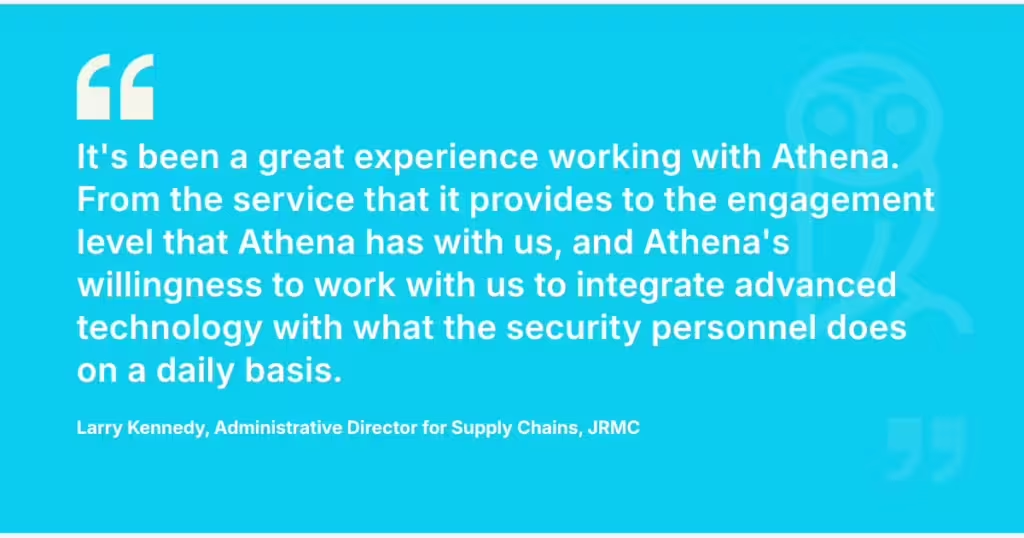
Here’s what one of our clients says:
Book a demo below, or call +1-833-928-4362, and we’ll help you build a custom weapons screening rollout plan.
Frequently Asked Questions About Weapons Screening Rollout Plans For Schools
You may have some practical questions before you roll out weapons screening across one school or an entire district. Below, we have answered the most common questions we hear from our customers. If your question is not here, give us a call at +1-833-928-4362.
1. What Performance Targets Should A District Set?
Districts should set four clear performance targets:
- Wait times: No student crowds outside the entrance.
- Throughput: At least 500+ students per hour per checkpoint, with hardware capacity for up to 3,600-4,000 people per hour and 2,000 bags per hour.
- False alarms: Extremely low nuisance alarms from keys, laptops, water bottles, and other everyday items, without lowering sensitivity for small knives.
- Secondary screenings: Zero stoppage of the main line. Flagged students or bags should move to a separate screening area for fast review.
These targets help the district judge whether the rollout is keeping students moving while still resolving real alerts safely.
2. At What Point Should We Pause, Redesign, Or End A Pilot That Is Causing Persistent Delays Or Operational Problems?
A district should pause or redesign a pilot if it creates long outdoor lines that leave students exposed, generates frequent false alarms from everyday school items, or causes students to be late for class. A successful redesign involves pre-planning logistics and separating bag screening from student screening.
3. How Should Schools Accommodate Students with Disabilities, Medical Devices, Mobility Aids, Or Sensory Needs During Screening?
To accommodate students with disabilities, medical devices, mobility aids, or sensory needs during screening, schools should build these six practices into their screening workflows:
- Use Non-invasive Detection Technology: Our walkthrough system uses low-frequency electromagnetic technology that’s safe for children, pregnant women, pets, and electronic devices.
- Buy from Third-party Certified Vendors: Choose systems that are lab-tested to ensure they don’t interfere with cardiac pacemakers, implantable defibrillators (ICDs), neurostimulators, cochlear implants, or other surgical implants.
- Install Barrier-free Walkthrough Portals: Install a walkthrough system with a wide, ADA-compliant passage arch. This allows students in wheelchairs, motorized scooters, or walkers to pass through comfortably.
- Avoid Handheld Wands Near Implants: Handheld metal-detecting wands produce strong magnetic fields that can temporarily affect pacemaker settings. Schools must install signage asking students with implants to inform staff before screening.
- Make Sensory Modifications to Create a Welcoming Setup: Reduce harsh, fluorescent lighting and loud background noise so that the checkpoint is comfortable for students with sensory processing needs.
- Train the Staff: Screening staff and helpers should know how to handle each accommodation and how to de-escalate a situation without stopping the line.
Together, these practices keep the screening checkpoint safe and welcoming for every student.
4. What Should Schools Do When A Weapons Detector Or X-Ray Scanner Goes Offline During Morning Arrival?
In such scenarios, schools can rely on local processing, battery backups, and established protocols to keep the entry line moving safely:
- Continue Scanning During Internet Outages: If the internet connection drops, schools do not have to halt the screening process. Athena’s AI-assisted X-ray scanners run their threat detection locally on an Apple iPad Pro. The system continues to process high-resolution images instantly without needing network connectivity.
- Utilize Offline Visitor Management: Our visitor management systems feature an “Always-On” offline mode. This allows the school to continue logging entries and printing badges during internet outages or server failures, with the data automatically syncing once the connection is restored.
- Switch to Battery Power: In the event of a total power loss, the Apollo 500 concealed weapons detection system is designed to operate on a battery pack
It is important to note that not all systems on the market have internal power backups, making hardware selection critical for outage preparedness.
5. How Can We Verify A Vendor’s Claims About Detection Accuracy, Throughput, False-Alarm Rates, And Vape Detection Before Purchasing?
Districts can verify a vendor’s claims by demanding a live demonstration under real-world school conditions, requesting validated third-party testing data, and running structured pilots. Crucially, districts should test the system using actual student backpacks filled with everyday items to accurately measure false-alarm rates, throughput, and the system’s ability to detect small items like vapes or knives.
Recommended read: How to Prevent Knives and Small Weapons From Entering a School.
Disclaimer: The images have been created using AI-based tools and are intended for illustrative purposes only. They may not accurately represent real individuals, locations, or situations. Any resemblance to real persons, living or dead, or actual events is purely coincidental.