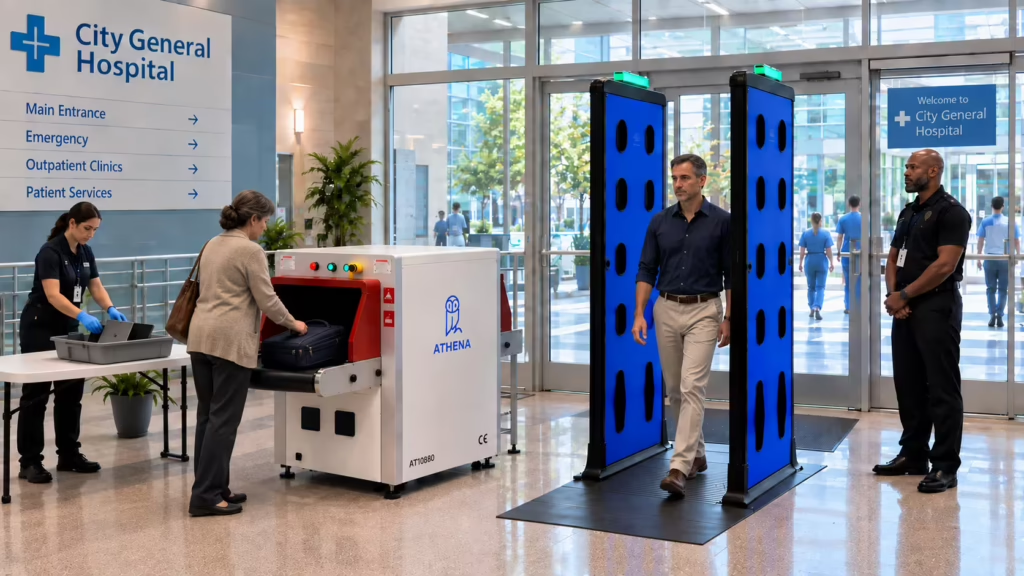

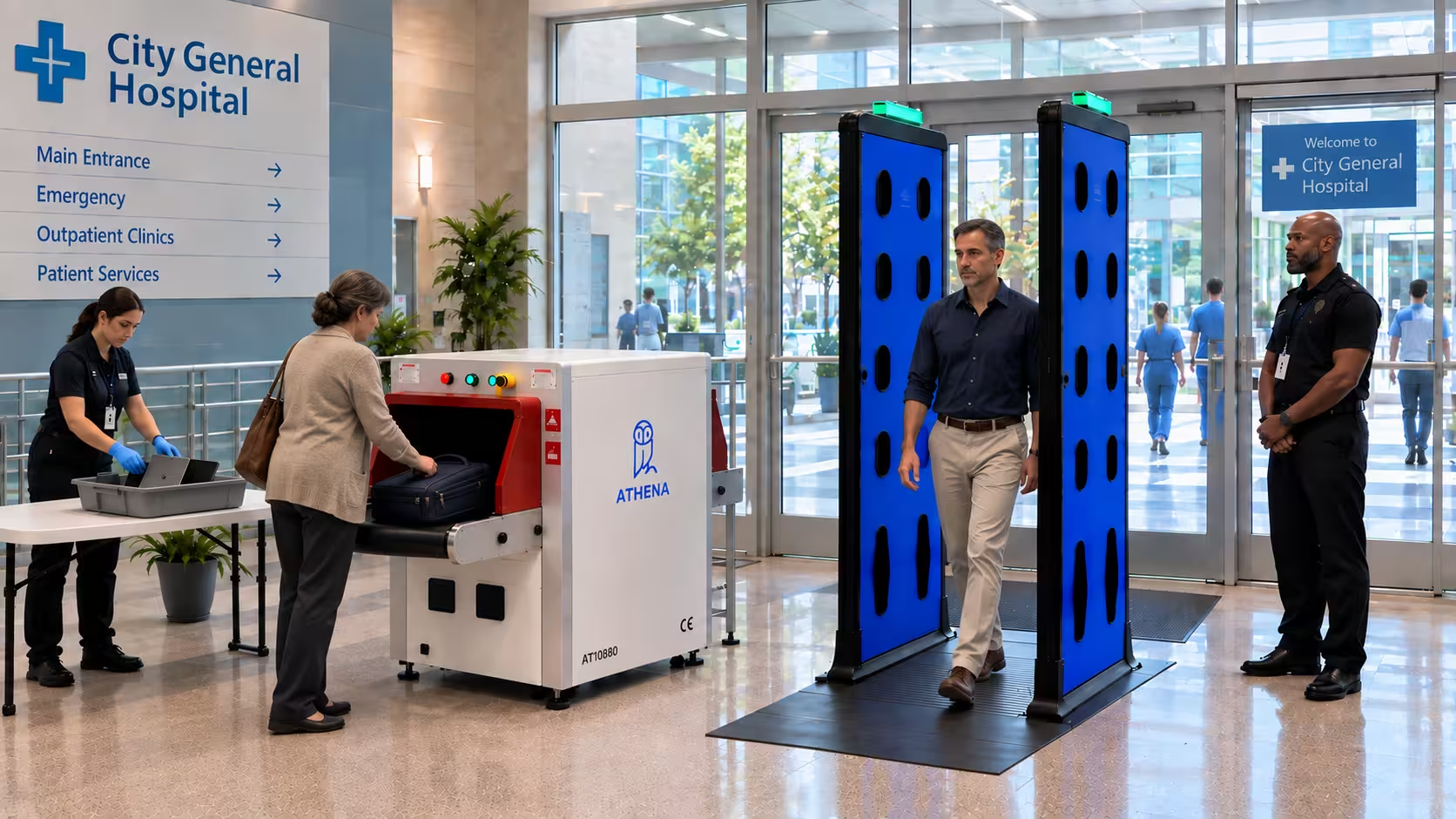
| Summary: To reduce secondary screenings at hospital entrances, first separate personnel and baggage screening to increase weapons detection accuracy. Next, install clear signage to guide visitors better, train security officers to run targeted inspections, test screening equipment daily, and calibrate sensitivity levels to the hospital’s threat profile. In this article, we explain all these measures in detail. |
Most people entering a hospital aren’t carrying a weapon. A 2024 systematic review by Mayo Clinic confirms exactly that. Weapons were detected in approximately 2% of people entering hospitals. That’s roughly 1 in every 50 people. But security teams don’t know which 1 in 50 it will be.
To find that one person, the security team will screen everyone for concealed weapons and conduct secondary screenings whenever required. This can lead to officer fatigue and congestion at entryways, creating a security problem. Tired officers may be less alert and slower to respond to real threats. Congested entryways make it harder for officers to see everyone and maintain clear separation between screened and unscreened individuals.
That’s why it’s important to reduce secondary screenings so that officers only spend time on alerts that actually require further inspection.
In this article, we’ll explain how to reduce secondary screenings at hospital entrances while maintaining strong threat detection and keeping patients, caregivers, staff, and vendors moving.
What Causes Unnecessary Secondary Screenings at Hospital Entrances
Unnecessary secondary screenings at hospital entrances are mainly caused by four reasons:
- Combining Personnel and Baggage Screening: When someone walks through the metal detector carrying bags, the detector can’t tell whether the threat object is hidden on the person or inside the bag. In such scenarios, even laptops, chargers, keys, wheelchairs, and pacemakers can set off a metal detector the same way a weapon does, leading to secondary searches.
For example, one Reddit user says, “Recently had a family member inpatient at St. Mary’s. They have metal detectors and I got stopped twice coming in. Once was from an Altoids tin and the other was from a tablet.”
- Lack of Object Composition Data: Many standard security scanners only pinpoint the location of the potential threat object and leave its material composition unknown. This forces officers to manually check if it’s a weapon or a harmless metal object, like a set of pliers, that may look like a weapon.
- Environmental Interference: Walkthrough systems can pick up interference from nearby mechanical and electrical objects. They become overly sensitive when placed near automatic doors, walls containing power lines, and large metal objects like stretchers.
- Excessive Sensitivity Settings: Setting a screening system’s sensitivity levels too high in an attempt to catch everything means the system also flags belt buckles and keys. Each of those false alarms turns into a secondary search.
- Lack of Clear Signage and Pre-Screening Preparation: If the entrance does not have prominent signs telling visitors to empty their pockets before screening, they walk through holding the exact items that set off the alarm.
Knowing what’s triggering unnecessary secondary screenings will help hospital admins choose the right solution faster. But we also need measures that prevent prohibited weapons from reaching the entrance in the first place.
To learn more about such strategies, read our guide on how to prevent weapons from entering a hospital.
How to Reduce Secondary Screenings at Hospital Entrances
To reduce secondary screenings at hospital entrances, hospitals must establish pre-screening and preparation protocols, integrate a modern AI-powered concealed-weapons detection system with an X-ray baggage scanner, and provide adequate training for security officers.
1. Pre-Screening and Preparation
Most people arriving at a hospital entrance for the first time don’t know what’s about to happen. Many visitors are also physically exhausted or emotionally distressed, which makes it harder for them to follow instructions in the moment. We need to prepare them for screening so that they don’t walk into the detector holding objects that trigger alerts.
We must:
- Use clear signage to direct visitors before they enter
- Place signs well before the screening area
- Make signs readable from a distance and easy to follow
Let’s learn more about these in detail, one by one, below.
Use Clear Signage to Direct and Prepare Visitors Before They Enter
Prepare signs that clearly instruct visitors about:
- What items to remove from their pockets before screening
- Which belongings should go through the X-ray baggage scanner
- How to move through the screening process step by step
- Which items are prohibited or require additional inspection
- What to do if they have a medical device, mobility aid, or prosthetic (especially if there’s a separate lane for these visitors)
Do this well, and most visitors reach the detector with nothing on them left to trigger a false alarm.
Place Signs Well Before the Screening Area
Instead of placing signs right before the detector, install them outside the main public entrance, inside the vestibule, divestment table, parking garage entrances, and emergency department entrance. Also, place them near staff/vendor entrances (if applicable), drop-off points, and along the queue so that visitors have time to read and prepare.
Make Signs Readable from a Distance and Easy to Follow
Visitors might skip or misread screening signage if it’s not readable. Here’s how to avoid that:
- Use short instructions instead of long sentences
- Put one action per line (e.g., “Remove keys and phone.”)
- Use arrows to show where visitors should go next
- Highlight important instructions
- Keep it to three or four instructions per sign
For example, the image below shows a hospital screening sign that checks all these boxes:
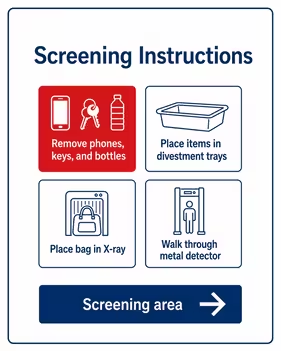
As Chris Ciabarra, CTO of Athena Security, explains:
“Signage is the first thing hospitals should do. This can bring their false secondary screening rate down below 5%.”
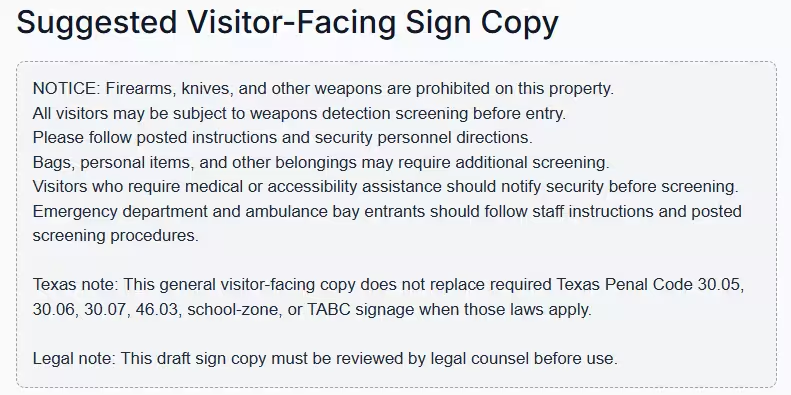
| Expert Advice: Hospitals must check their signage requirements before deciding on weapon screening setup. We’ve created a free weapons detection signage compliance lookup tool to help you identify the signage requirements relevant to your facility. Enter your details in the form, and the tool will generate a sample sign for you to use, down to the required wording (shown in the image below). It also provides general signage guidance for your jurisdiction.
|
2. Technology Upgrades
From a technological standpoint, hospital admins should use an AI-powered weapons detection system with an X-ray baggage scanner, calibrate sensitivity settings correctly, set up divestment zones, and account for environmental interference.
Use an AI-Powered Concealed Weapons Detection System + X-Ray Baggage Scanner
Most security entrances at a hospital screen people and bags together in a single screening lane. So when the alarm on the detector goes off, nobody knows whether the suspected object is on the person or inside their bag.
A better approach is to screen people and bags separately.
- Visitors Walk Through a WDS: An AI-powered concealed weapons detection system analyzes an object’s shape, size, mass, and metal type to understand whether the object resembles a weapon or is one. This helps differentiate potential threats from harmless items and reduces secondary screenings. For example, a 2025 Nova Scotia hospital pilot screened more than 7,400 people using an AI-powered WDS that could distinguish between “everyday personal items and weapons,” and reported about 25% fewer secondary searches.
- Bags Go Through an X-Ray Scanner: Backpacks, purses, laptop bags, and other belongings are screened using an X-ray baggage scanner. This shows the officer an image of the bag’s contents without anyone opening it.
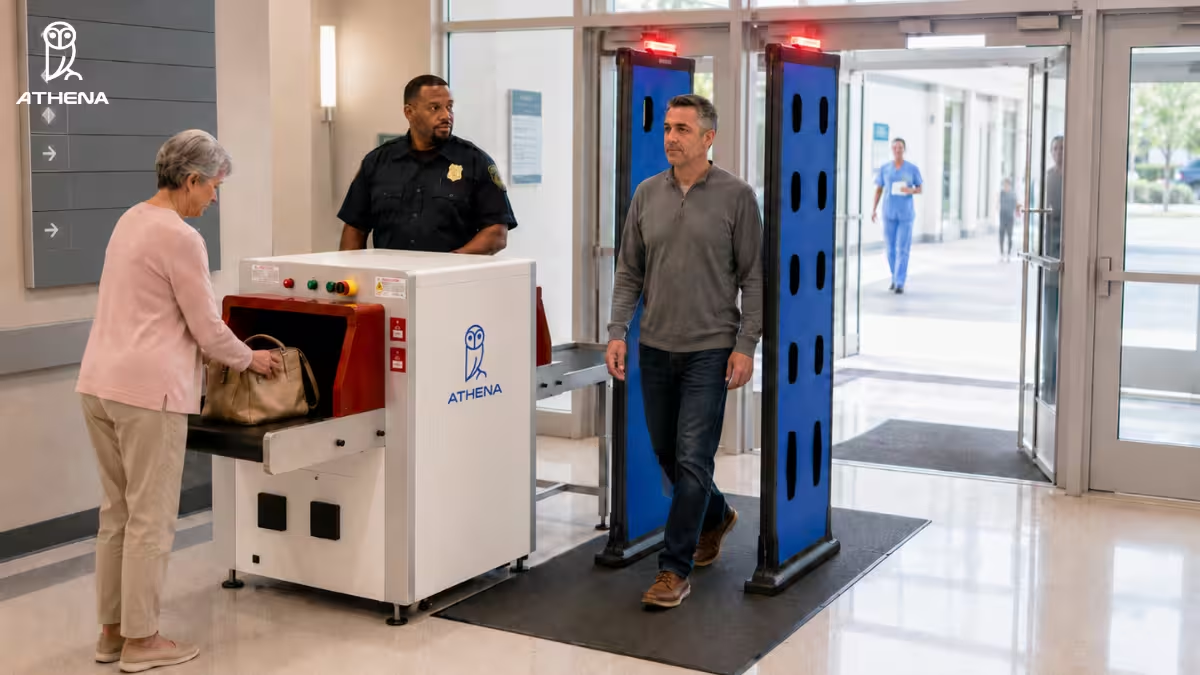
To implement this setup, hospitals can deploy our Concealed Weapons Detection System with the AI-powered X-Ray Baggage Scanner.
The WDS uses AI to identify potential weapons and pinpoint their location on the person. At the same time, our AI X-ray baggage scanner detects threats in personal belongings and bags. It uses dual-energy imaging to analyze an item’s density, material type, and atomic composition. Its seven-color visual spectrum helps differentiate between organic, inorganic, metallic, and non-metallic items.
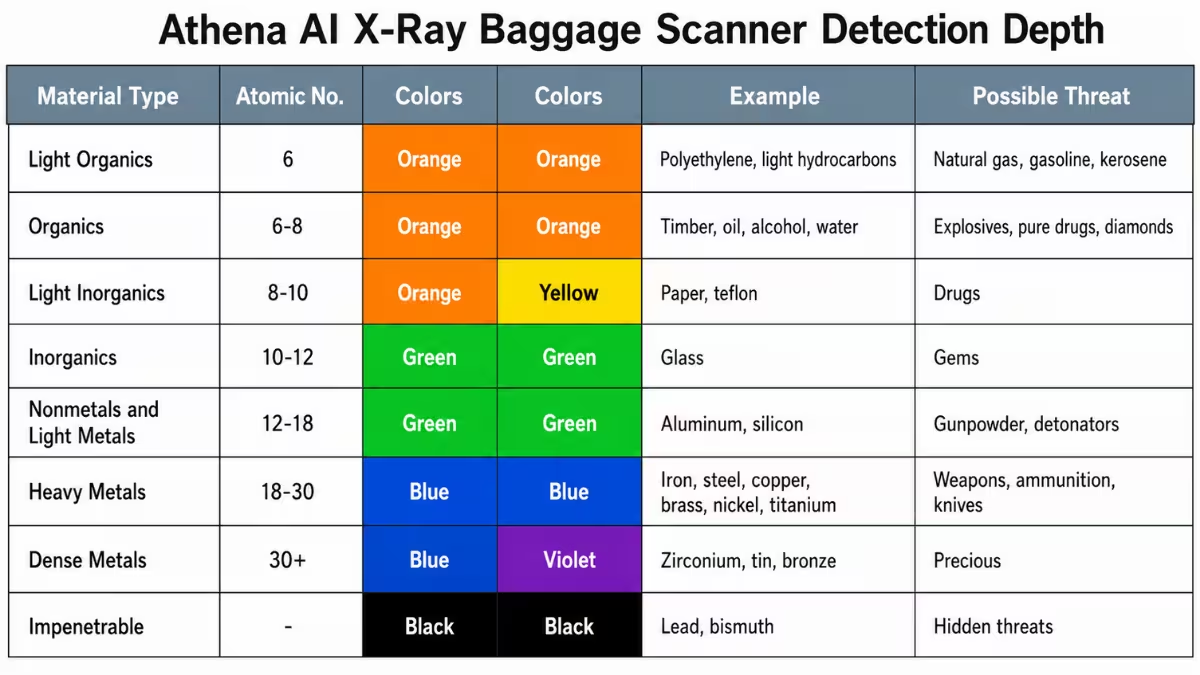
When a weapon is detected, the scanner automatically stops the conveyor belt to keep the suspicious bag inside the X-ray tunnel. An officer has to intervene–do secondary screening–only when it’s needed.
Together, these systems help hospitals increase screening accuracy and speed, without compromising threat detection.
Suggested Read: Why X-Ray Baggage Scanners Are Important For Hospital Security
Calibrate Sensitivity of the Screening System Based on the Hospital’s Actual Threat Profile
The sensitivity of the screening system decides how easily alarms go off. If we set them too high, almost every little thing sets off the alarm and slows down screening lanes. If we set them too low, serious threats easily pass through the system.
To calibrate sensitivity settings correctly in the security screening system, we must:
- Review Local Crime Data and Regional Risks: Determine which weapons the hospital is most likely to encounter (e.g., handguns, large knives, ghost guns).
- Analyze Previous Security Incidents in the Hospital: Identify where weapons were found, what types were recovered, and which threats bypassed the primary screening system.
- Document Every Calibration Change: This includes what settings were changed, why, when, by whom, and the results of that change. Use this data to compare performance before and after each adjustment.
| Expert Advice: For many hospitals, documenting the numbers on confiscated items, weapons interception, and calibration history can be extremely challenging. This could be either because security guards might have documented changes on paper, or because this information is stored digitally across various systems and devices.
To solve this challenge, our physical security systems are built with our Control Center Cloud. Our platform automatically logs the calibration activity, test results (location, date, time, pass/fail status), as well as screening outcomes in one centralized dashboard. Staff can quickly retrieve these records for audits or future calibration decisions. |
Set Up Divestment Zones with Trays, Bins, and Preparation Tables
Signs tell people what to remove, while a divestment zone gives them a place to put those items. Below are a few healthy practices to follow when creating a divestment zone:
- Place preparation tables before the screening lane so that visitors have enough time to remove personal belongings.
- Provide multiple preparation tables for peak visitor traffic.
- Use individual trays instead of shared bins to separate each visitor’s belongings.
- Provide seating for visitors who need extra support.
- Assign staff to return empty trays to the divestment area during busy periods.
Most importantly, make the return point possible. People need to see where their things come out, since bags hold medication, crucial documents, and belongings of a patient who’s admitted.
Account for Environmental Interference
Install the screening equipment away from structural steel, rebar, metal door frames, or automatic sliding doors. These can interfere with the equipment and raise unnecessary alerts. We must also maintain adequate spacing between screening lanes and detectors to prevent interference between systems. It’s best to always test the equipment after installation to identify any interference and reposition screening systems/lanes if needed.
Ambulance bays create an additional screening challenge because gurneys, stretchers, and other large metal equipment can trigger unnecessary alerts. If you need to secure this area without disrupting emergency services, learn how to screen ambulance bays without triggering false alarms from gurneys.
3. Staff Training and Flow
The same alert can take ten seconds or three minutes to resolve, depending on how trained the officer is. Similarly, if our screening lanes are cluttered, queues become longer and alert resolution slower.
To have a smoother screening workflow, we should:
- Train security officers to run targeted inspections and resolve alarms smoothly
- Create separate screening lanes for staff and vendors
- Ensure proper screening flow
- Test and maintain the screening equipment regularly
Let’s discuss each.
Train Security Officers to Resolve Alarms Smoothly
When officers are not trained on standard screening protocols, they might resolve the same alert differently, leading to inconsistent screening.
Here’s what John Oast, Director of Security Services at Geisinger Health System, shared in a conversation with Lisa Falzone on our Security Heroes podcast:
“Your technology and your systems are only as good as the training that people get.”
In order to train security officers better, we first need to build a standard alert resolution process.
Here’s how to go about it:
- Define how security officers should respond to different types of alerts.
- Specify how officers should conduct secondary screenings.
- Train officers to communicate clearly with visitors.
- Set clear criteria for when an alert can be cleared.
- Conduct scenario-based drills using both threat and non-threat objects.
As part of a wider security strategy, you can also check ASHRM’s Hospital Security Emergency Preparedness Resources. They can help you prepare active shooter response plans, security risk assessments, safety committees, etc.
If the hospital has limited staff, security admins can install a hologram-based Telepresence Security Officer to handle routine tasks like greeting and instructing visitors at multiple locations simultaneously.
Read More: How to Improve Hospital Security Without Adding More Guards
Create Separate Screening Lanes for Staff and Vendors
Staff, contractors, and regular vendors enter the hospital every day. Many carry the same work equipment, ID badges, tools, or medical devices each time they arrive. Screening them through the same lane as visitors slows both groups down and creates unnecessary secondary screenings.
A dedicated staff and vendor entrance with identity verification removes this problem entirely. Use employee badges, pre-registered vendor credentials, or sign-in systems to check identity.
| Note: Don’t forget to review what equipment staff and vendors typically carry. If certain tools are routinely permitted, define how they should be screened so officers don’t have to make case-by-case decisions every time. |
Ensure Proper Screening Flow
Poorly planned screening checkpoints can create bottlenecks and interfere with accessibility.
As one Reddit user described their experience, “When I went to leave, the security system was on one side of the vestibule, and the other side where I was supposed to exit is also the same space where people in wheelchairs and with walkers come in, so there was a line up on that side, and I had to wait to get out.”
Therefore, hospitals must plan the screening setup in a way so that it doesn’t block essential areas of the entrance.
Here are three things to remember when doing so:
- Keep entry and exit paths clear
- Provide an extra lane for quick bypass when the main lane becomes congested
- Move flagged bags out of the main lane to a designated side table/area
Test and Maintain the Screening Equipment Regularly
Dust, wear and tear, software updates, hardware issues, or changes to the surrounding environment gradually affect the performance of the screening system. Before opening the entrance for visitors, check if the screening system functions properly. Test its efficiency with representative threat objects and common non-threat objects like laptops and key rings.
Routine maintenance also includes cleaning sensors, inspecting cables and hardware, installing software updates on the healthcare weapons detection platform, and reviewing logs for recurring faults or unusual alert patterns. Record the results of each test for later.
| Note: It’s best to run a weapons screening pilot to evaluate sensitivity settings, detection performance, visitor flow, and potential sources of unnecessary alerts under real operational conditions.
Learn more about it here: How to Run a Weapons Screening Pilot at a Hospital |
How Can Athena Security Help Reduce Secondary Screenings at Hospital Entrances
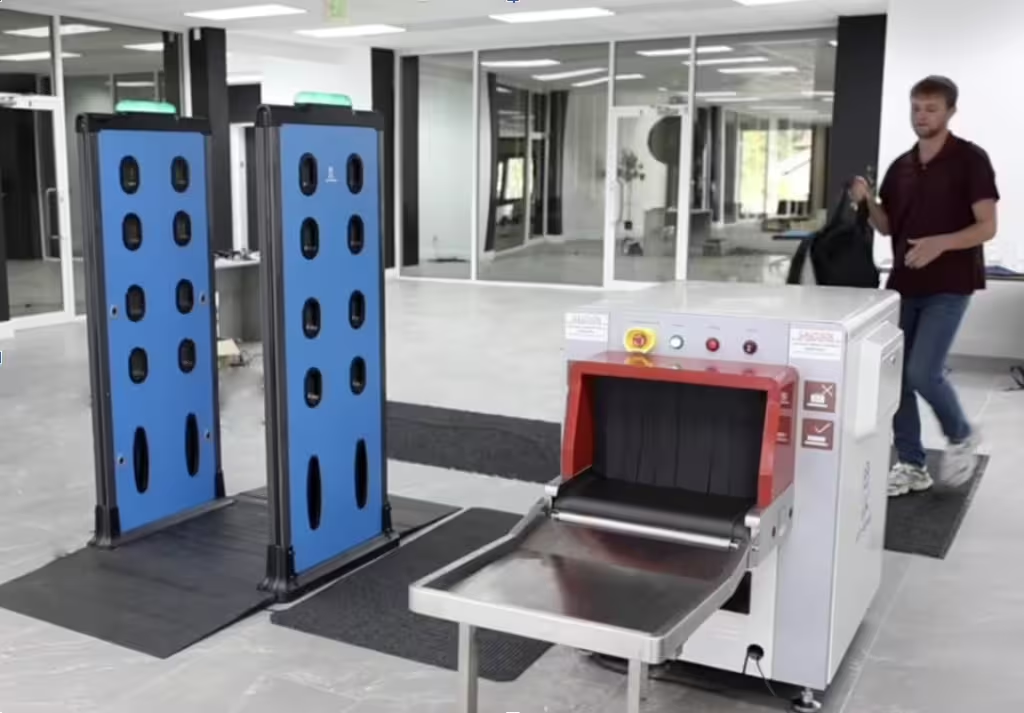
Athena Security helps reduce secondary screenings at hospital entrances by providing a screening setup that screens people and their bags separately, so that the accuracy of threat detection improves and false alarms are lower.
We assess the hospital layout, visitor traffic, and specific threat targets to determine the right equipment combination for each entrance. Our team also provides in-person training to equip hospital staff with complete knowledge on resolving alerts, configuring the sensitivity of the technologies, and conducting secondary screenings.
We have strengthened physical security at leading hospitals nationwide, including Duke Health, Memorial Hermann, Jefferson Regional Medical Center, Franciscan Health Olympia Fields, and many more.
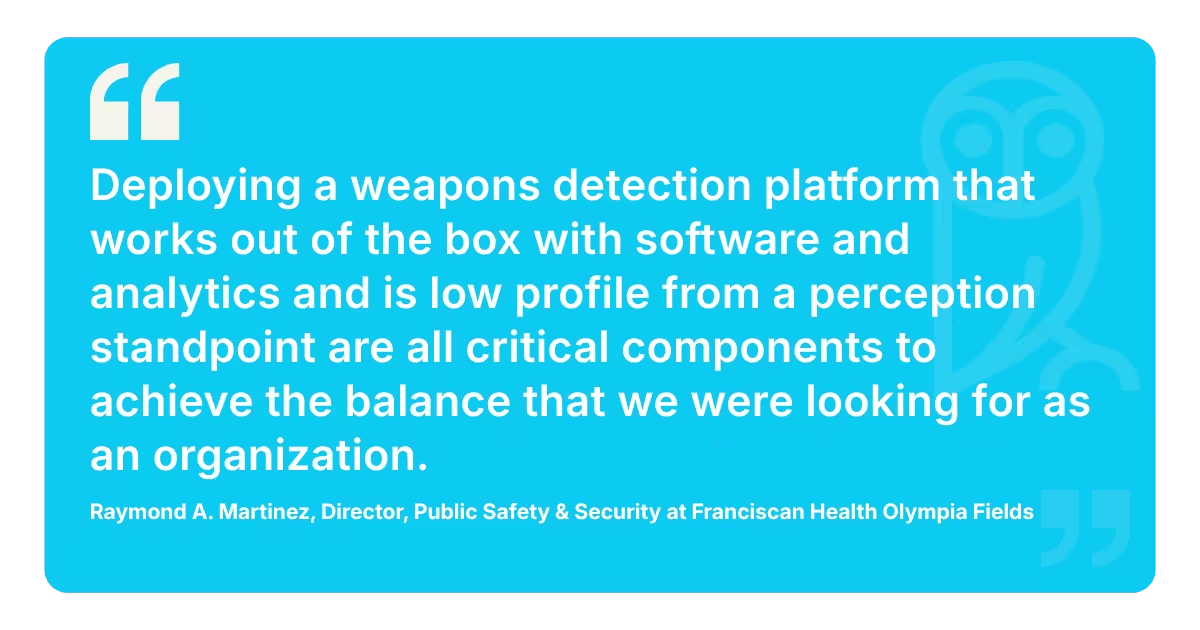
Here’s what Raymond A. Martinez, Director of Public Safety & Security at Franciscan Health Olympia Fields, has to say about his experience with us:
To know which Athena solutions can make your entryway screening more efficient without compromising threat detection, talk to our team.
Book a demo below or call us at 1-833-928-4362 to get started.
Frequently Asked Questions About Security at Hospital Entrances
While you decide what the next steps are, you might have a few questions regarding hospital screening. Below, our experts have answered the most common ones they hear during a demo with their clients:
1. How Do Hospitals Measure Whether Changes Are Reducing Secondary Screenings?
Hospitals should measure whether their changes are actually reducing unnecessary secondary screenings by tracking the following metrics:
- Deterrence and Walkaways: A high walkaway rate shows visible signage and screening are deterring people from bringing prohibited items inside.
- Nuisance Alarm Rates: The ideal false alarm rate for standalone walkthrough WDS should be below 40%. When paired with an AI-assisted X-ray baggage scanner, it should drop below 10% (or below 5% for highly optimized checkpoints).
- Secondary Search and Contraband Capture Ratio: A lower secondary screening rate is a positive sign if the number of weapons or other prohibited objects detected stays steady or increases.
- Operational Efficiency and Clinical Impact: Measure broader safety outcomes like reductions in violent incidents, fewer staff injuries, faster response times, and improved visitor screening efficiency.
While each of these metrics can give hospitals an idea about the improvement, a broader understanding of across-the-board change can only be visualized with all 4 metrics tracked.
2. How Should Screening Procedures Differ between High-Traffic and Lower-Volume Entrances?
The table below shows how screening procedures should differ between high-traffic and lower-volume entrances:
| Screening Factor | High-Traffic Entrance | Low-Traffic Entrance |
| Screening lanes | Multiple lanes for parallel screening. | Fewer lanes can be sufficient. |
| Staff/vendor screening | Dedicated staff and vendor lanes are recommended. | Dedicated staff/vendor screening not required. |
| Screening technology | AI-powered WDS + X-ray baggage scanner. | AI-powered WDS; X-ray based on screening needs |
| Weapons detection sensitivity | Set sensitivity levels based on threat profile. | Do not lower sensitivity because of lower traffic. |
| Divestment area | Large enough to accommodate multiple visitors. | A smaller divestment zone works. |
Disclaimer: The images have been created using AI-based tools and are intended for illustrative purposes only. They may not accurately represent real individuals, locations, or situations. Any resemblance to real persons, living or dead, or actual events is purely coincidental.